
A Google Ads Account can be a bit complicated to set up. Once it’s set up, you will have to clear the Advertiser Verification first.
That said, does this also mean that you can never launch a campaign without it? No. You can continue to create ads and run them without having to complete the advertiser verification.
What is Google Ads Verification?
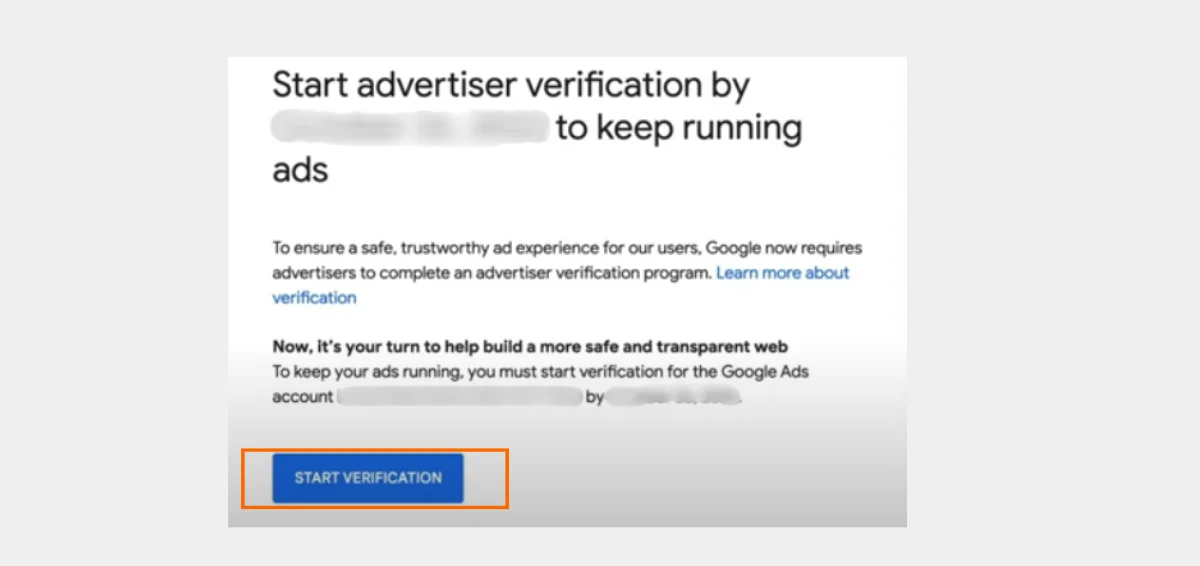
Google Policy, Brand Safety, and Ad Security—Google’s Advertiser Account Verification is built in to ensure you follow the rules of engagement with respect to your ads alongside a general brand protection opportunity for copyright infringement. Identity confirmation ensures you can unlock the full power of Google Ads features while maintaining a trustworthy advertising ecosystem.
Why Verify Google Ads Account?
Google Ads does not allow advertisers to undermine the safety of its advertising ecosystem by unintentionally inviting malware. It helps maintain high-grade advertising services while potentially avoiding fraudulent or harmful activities.
Thus, there are fewer malicious ads that reach end consumers. With this platform, only recognized and authorized businesses get to post their products and services.
It can free consumers from fraudulent behavior and reduce the existence of ineffective advertisements. Following the verification standards will also result in better ad performance and create trust with your audience.
Additionally, Google has a strict verification requirement for advertisers. This is to prevent penalties or account suspensions. It also mitigates any issues that may come up in a safe environment for users and advertisers by separating trusted businesses from fraudulent ones.
Documents for Google Ads Verification
All advertisers are now required to complete the identification verification as part of their advertising verification program.
Advertisers may need to provide one of the below acceptable documents (based on where their organization is registered or residing if you are an individual) as part of your identity verification.
Note: The documents mentioned below are mainly for your account type “organization” or “Individual”. If you do not know your Account type please check it on the “Settings” page > “Billing & Payments.” If your Account type is “Individual” and needs to get verified as an organization, or vice versa — please reach out to Google Support before the verification process.

These are the documents needed to properly verify your account.
- Government-Issued Photo ID: Make sure that when you upload a government-issued photo ID, the following are in line with our terms.
- The ID is valid (has not expired)
- The image is a color one, not black and white.
- It is a clear, bright image.
- You are not allowed to use a photocopy as an image.
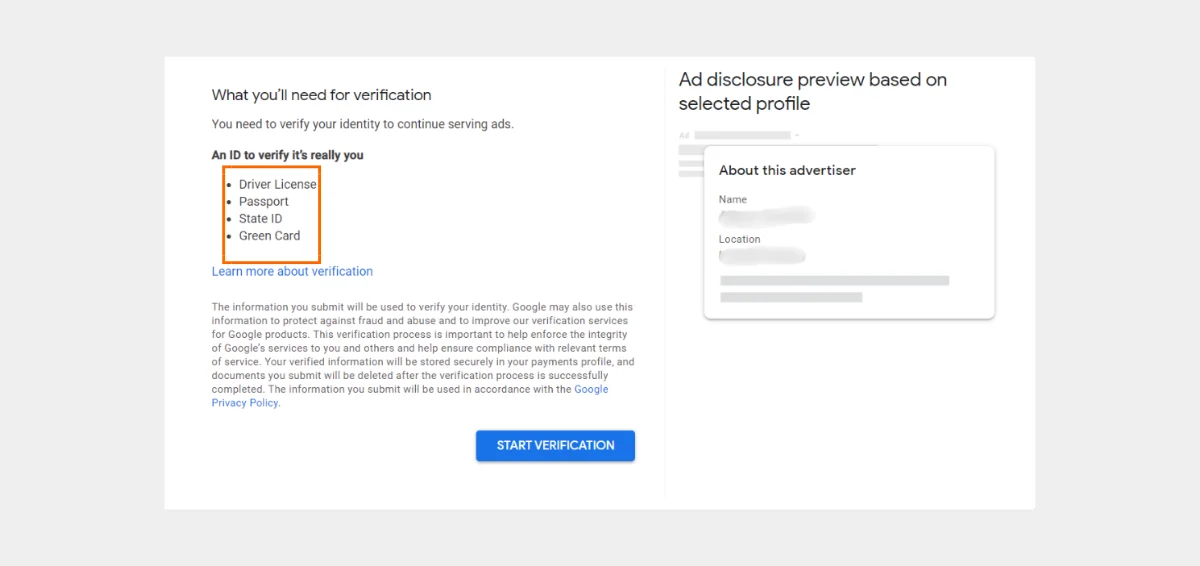
Note:- The list above applies to users in the United States. Here is the list of accepted documents for Advertiser Verification in your country. Select your country from the drop-down list.
According to the Google data protection policy, personal information and documents will not be transmitted to anyone.
How to Verify a Google Ads Account?
Log in to your Google Ads account if you already have one. If not, go to the Google Ads page and create one.
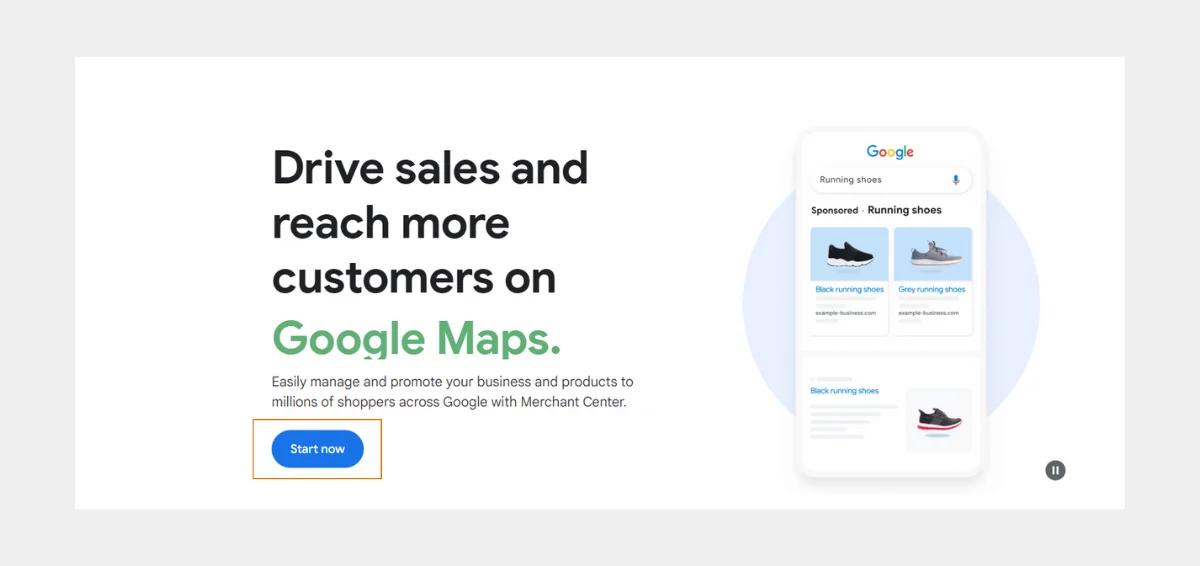
Go to the configurations. Choose the “Settings” option in your Google Ads account.
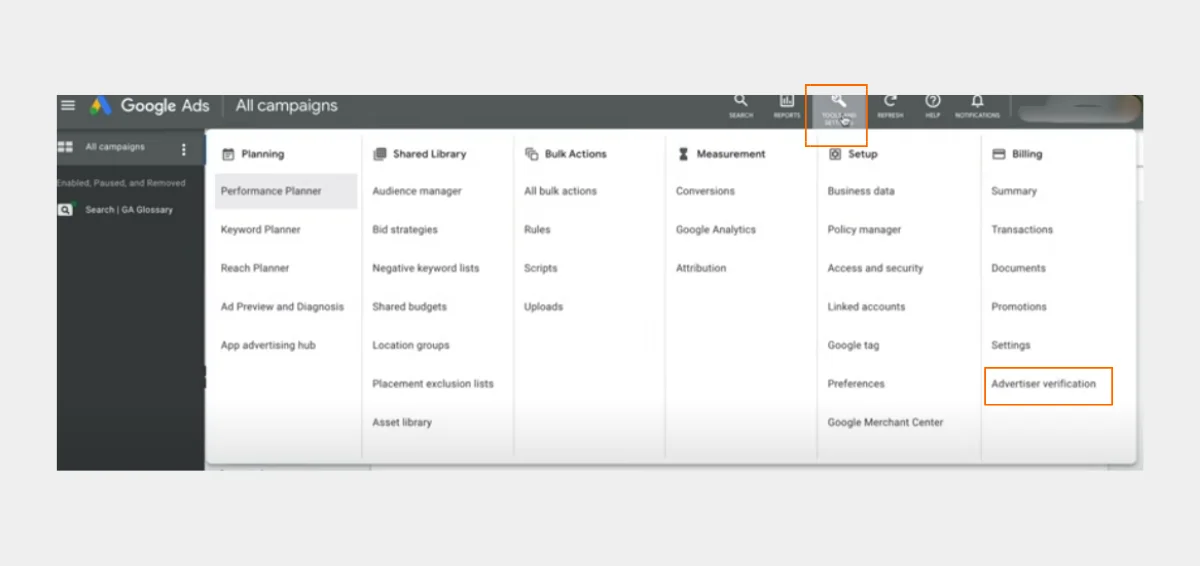
Locate the “Advertiser Verification” tab in the settings and click it to continue.
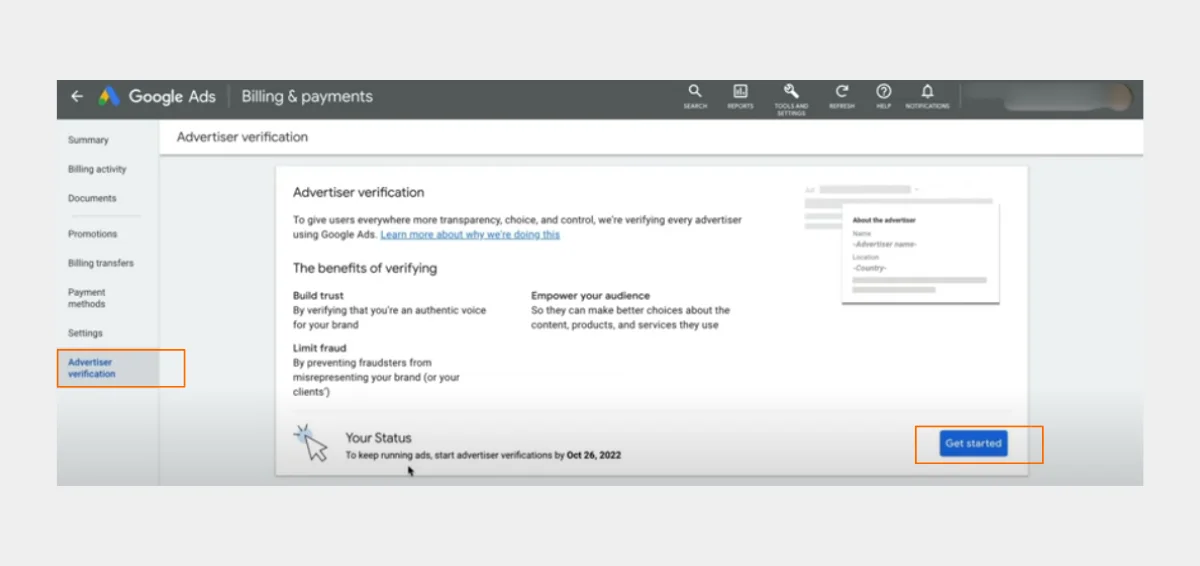
- Decide the organization type under “Advertiser Verification.”
- You will be prompted to specify if you are a marketer/client or an advertising agency. Choosing the right option is important.
- Select the account to verify.
- As a PPC marketing agency handling several accounts, ensure you select the right one.
- Finish the process of verification.
- Adhere to Google’s on-screen directions. Depending on your organization type and account specifics, stages may change. Include accurate information and all necessary supporting paperwork to speed up the verification procedure.
- Wait for confirmation of the verification.
After you submit them, Google will examine the data and files. Please be patient as the verification process can take a while. After successful verification, you will receive a confirmation email.
Pitfalls to Avoid When Verifying Your Identity
- Providing papers that are out-of-date or invalid
- Giving inaccurate or insufficient information
- Not adhering to the required procedures.
Tips:
- Make sure all the information and documents are correct before submitting them to facilitate a more seamless verification process.
- Observe the directions that Google gives, and ask questions if you have any questions.
This way you can speed up the verification process.
The Ads Transparency Center and ad disclaimers must provide advertisers with access to comprehensive advertiser data, including name, location, and the history of ads delivered, as per Google’s New Ads Transparency Policy.
Please note that providing inaccurate information can now also have a direct impact on the user experience.
Final Thoughts
We really hope that this post was useful in helping you navigate the Google Ads advertising verification process.
Important Note:
- This tutorial is intended for advertising companies who manage their own and clients’ Google Ads.
- You will only have three opportunities to make a verification request if you’re confirming your identity as part of the account suspension appeal procedure.
Please don’t hesitate to contact Website Pandas if you want your Google Ads managed efficiently with better outcomes.
Between users, marketers, and the website itself, verification fosters confidence. It ensures companies/businesses running ads on the platform are authentic. It lowers the possibility of fraudulent and deceptive advertising.