Have you ever requested your Google Ads customer ID and don’t know where to find it?
Or may have also heard of the phrase pop-up or seen it somewhere on your computer, but do not know what it means.
You’re a little lost—we’ll show you where to look!
It’s not that difficult to find your Google Ads ID—here’s a step-by-step guide on how to get your Google Ads ID with ease.
But before we do that, let’s understand what a Google Ads ID is.
What is Google Ads Customer ID?
Google assigns a unique customer ID to each Google Ads account. It is a ten-digit, three-part number linked to your Google Ads account. Here’s what your ID would look like: 123-456-7890.
For that reason, if someone asks you for this number instead of your Google Ads CID, don’t be surprised.
The Google Ads account that is linked to your online business is represented by this number.
Whenever you get in touch with Google Support, a PPC company, or anyone you’re working with, you may need to locate this ID for many reasons.
Google Support will often need your account customer number for security reasons and to make sure they are working on the same account you need help with.
Here’s How to Find Google Ads Customer ID with Ease
1. First, log in to your Google Ads account.
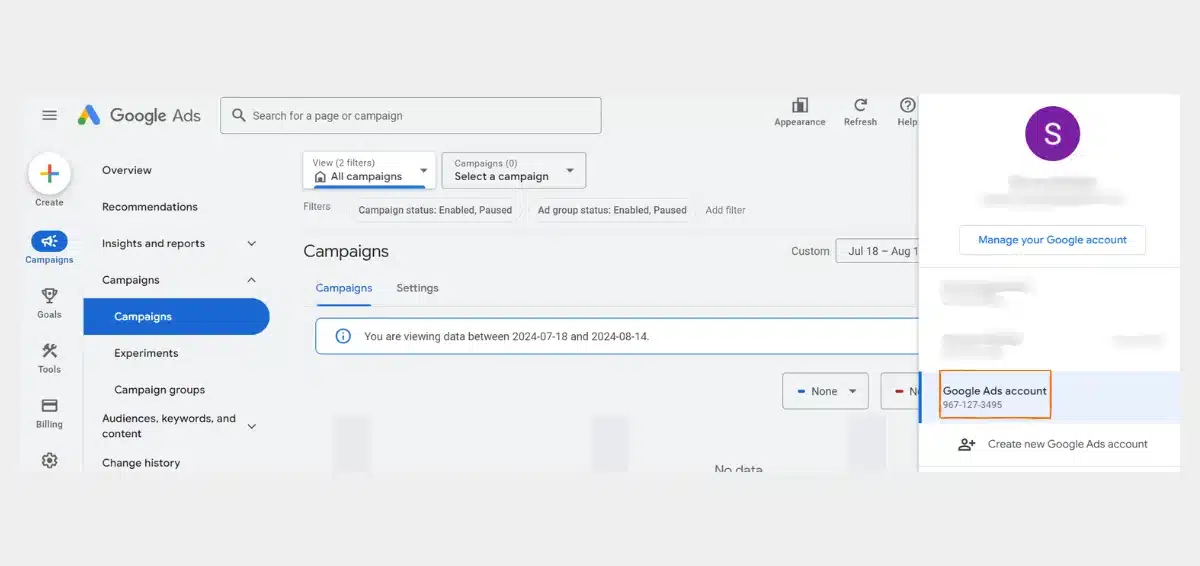
2. Now, click your profile image in the top right corner.
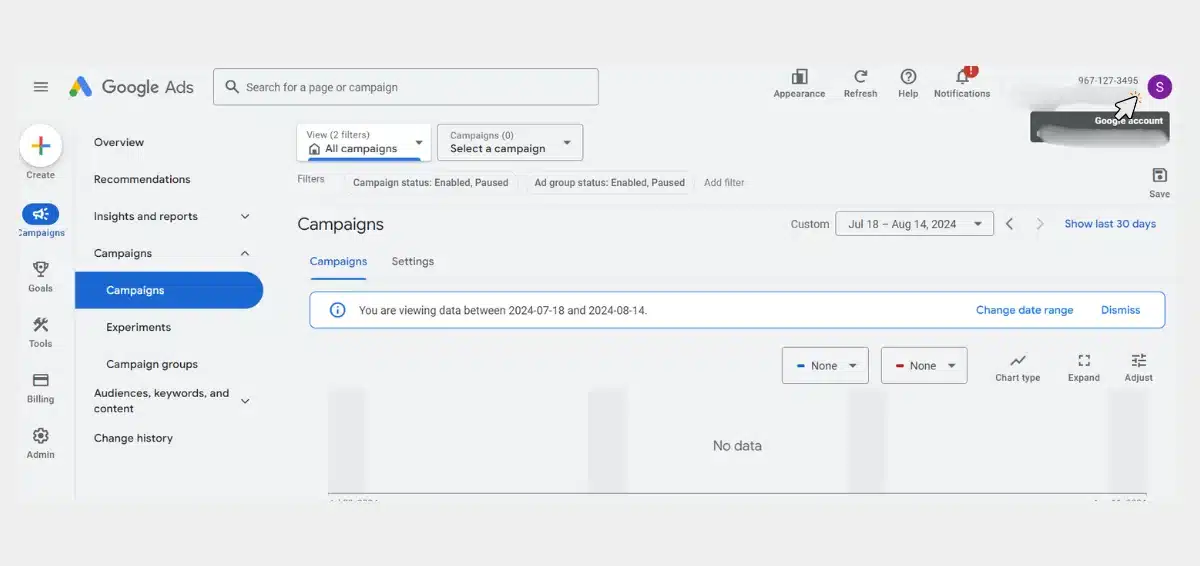
3. Your customer ID will be listed under “Account Information.”
Additional Ways to Find ID
- Your Google Ads customer ID will be displayed in the top right corner of your account.
- Login to your Google Ads account and then click on the Google Ads logo. The customer ID will be included in the URL.
- If you have a manager account, just click on the down arrow next to the MCC account in the top left corner. Your customer ID will be displayed there under the drop-down arrow with the name of the MCC account.
Read Also: Why Am I Not Receiving Impressions From My Google Ads?
Wrapping It Up
Now that you know where to look for your Google Ads ID, exercise caution when sharing it with others.
Do not give your ID to anyone you don’t trust; it contains critical information that might allow someone to access your Google Ads data and use it fraudulently.
We really hope this guide was useful to you!
You can also connect with our Google Ads Specialist for expert assistance.