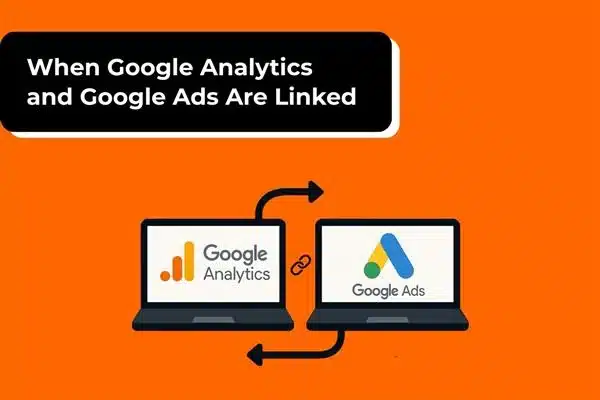
The connection between Google Analytics and Google Ads is the one connection that, albeit silently, changes the marketers’ understanding of their audience in a fundamental way. Both platforms are robust, where one gives insights into customer behavior, and the other enables you to attract new customers. However, when they collaborate, your campaigns start to be understood more profoundly and humanely.
The majority of marketers consider the connection as something that is merely “nice to have.” However, it is actually a decisive point. It marks the point at which your campaigns stop making guesses and start acquiring knowledge.
Let’s explain why this link is important, what actually occurs in the background, the advantages you gain, and how to set it up properly.
Why Connecting Google Analytics and Google Ads Actually Matters
If you are running Google Ads for a considerable time, you are already aware of how one can get caught up in looking at surface-level numbers, clicks, impressions, and CPC. Still, those metrics are important, but they do not show you the situation after the click, and that is where the real story unfolds.
Google Analytics comes in here.
If Analytics and Ads are treated apart, then only half of the whole story will be known to you. Ads explain how customers come; Analytics explains their actions after that. When you combine these two, finally, the whole journey will be visible to you.
Suddenly, some of the most crucial queries become answerable:
- What are the ads that engage the most visitors?
- Which are the keywords that bring not just volume but high-intent traffic?
- Are your landing pages converting or repelling?
- Which are the audience segments that are quietly eating up your budget?
Without the link, these insights are locked away. With it, Google Ads becomes much smarter in identifying the target, setting the bid, and adjusting the time of intervention.
What Really Happens When Google Analytics and Google Ads Are Linked?
Many things are happening behind the scenes, but the easiest way to explain it is that the platforms exchange data that was originally out of their reach.
This is what it looks like:
1. Google Ads Receives Conversion Events and Engagement Signals
Google Analytics, in its automatic fashion, sends conversion events to Google Ads. As a result, Google Ads is no longer reliant solely on its tracking. It starts learning from every tiny interaction: scrolling depth, time spent on the page, number of pageviews, video being played, filling a form, etc.
This is especially beneficial in GA4, considering every action as an event. So, Google Ads utilization of these events includes:
- Bidding improvement
- Delivery optimization
- Target audience refinement
This is the reason linking is not easy. It is also one of the factors that influence the campaign performance.
2. You Get Granular, Behavior-Level Insight
Analytics begins to classify your advertisement traffic with more precision. In place of “someone clicked,” the following insights are revealed:
- Which pages were visited
- Duration of their stay
- If they bounced
- Qualification of conversion paths
- Where user abandonment took place
It is a revelation that you can soon stop making assumptions and proceed with adjusting your strategy intentionally.
3. Audiences Flow Seamlessly Between Platforms
Your Analytics audiences, such as engaged users, cart abandoners, or returning visitors, are immediately turned into remarketing audiences in Google Ads.
So rather than targeting everyone vaguely, you can focus on:
- Users who have seen a product two times,
- Vsitors who were very close to becoming customers, and
- Those who have taken significant actions but did not complete them.
This is where the hyper-specific segments create a breakthrough in the Google Ads ROI.
Key Benefits of Linking Google Analytics with Google Ads
The improvements following the integration are not loud but are still there to be noticed and are at a steady rate. This is what you get in the end.
1. More Intelligent, Data-Driven Bidding
Google Ads not only sees the click-through rates but also the types of users who convert via the conversion events from Analytics. As a result, it is leading to better performance for Smart Bidding strategies like:
- Target CPA
- Target ROAS
- Maximize Conversions
The whole situation moves to a point where the system can conclude the data that are usually overlooked by humans.
2. A Better Understanding of Which Ads Really Work
Clicks can’t be equated to success. The indicator is behavior.
Linking could pinpoint:
- Ads that engage users meaningfully
- Keywords that pull in genuine buyers
- Campaigns that lead to customer retention
As soon as this happens, money spent on non-productive channels automatically decreases.
3. Better Remarketing Opportunities
Analytics is equipped with detailed user behaviors that are obtainable only through the regular ad audiences. You can, for instance, create users like:
- Users who spent more than two minutes on a particular page
- People who looked at several product pages
- Readers who have achieved 75% scroll depth
These user segments have a much higher rate of conversion as they are based on intent and not just age or gender.
4. Unified Reporting and a More Complete Story
Instead of having to deal with data from two separate dashboards, everything is displayed on a single screen. The reports of your path-to-conversion gradually become more understandable. The multi-touch journeys are now clearly visible. No more working with isolated figures; now you are getting the entire user’s movement from first click to final purchase.
5. Cleaner Measurement and Less Guessing
Analytics helps to reveal blind spots:
- Slow landing pages
- High-exit pages
- Misleading CTAs
- Broken funnel paths
All of these have a direct impact on Google Ads performance.
How to Connect Google Ads to Analytics
Connecting them is simple, but missing even one step can break the data flow.
Step 1: Make Sure You Have the Right Permissions
You need:
- Edit permission in Google Analytics
- Admin access in Google Ads
Without this, the linking option won’t appear.
Step 2: Open GA4
Go to Admin → Product Links → Google Ads Links.
Step 3: Choose the Google Ads Account
Click Link, select your Ads account, and follow the prompts.
Step 4: Enable Personalized Advertising
This ensures remarketing audiences can sync correctly.
Step 5: Enable Auto-Tagging
This is essential. It allows Analytics to track Ads and visitors accurately.
Step 6: Turn On Data Sharing
This gives Google Ads access to Analytics conversion events and audiences.
That’s it, the platforms are officially connected.
What You Should Check After Linking
Linking is only step one. You still need to confirm everything is flowing correctly.
1. Make Sure Your Conversions Are Actually Coming Through
Go to Google Ads → Tools & Settings → Conversions
Look for Analytics-based conversion events. They should reflect:
- Green “verified” status
- Recent activity
If they appear as “no recent conversions,” something is off.
2. Check the Data Stream Settings in GA4
Make sure:
- Pageview tracking is on
- Enhanced measurement is on
- The right stream is linked
3. Check Auto-Tagging
Most of the tracking problems originate from this issue.
Run your landing page through the Google auto-tagging checker to confirm that the gclid parameter is being recorded.
Common Mistakes People Make After Linking
This even happens to the veterans once in a while.
1. Importing Every Event as a Conversion
When all events are flagged as conversions, nothing holds any value.
Do not overload your Google Ads dashboard with:
- Scrolling activities
- Starting of sessions
- Total views of pages
Choose just the events that are of real business value.
2. Forgetting to Disable Duplicate Conversions
Some people monitor the same conversion using:
- Google Ads global site tag
- Google Analytics event
This results in the inflation of your figures and the wrong direction of your bidding strategies.
3. Not Employing Analytics Audiences
People join up accounts, and after that, the most powerful feature comes: the remarketing audience, and they just ignore it.
Your campaigns can be significantly more effective if you make use of these segments.
4. Misinterpretation of Engagement Data
Not all engagement is positive engagement. At times, the long duration of the session may indicate confusion. Always analyze behavior metrics in the context.
Real-World Example
If you’re running Google Ads for an e-commerce brand selling fitness gear. The traffic is there, but the sales are still the same. Your campaigns look good on paper: high CTR, even CPC, stable impressions. But when you connect Google Analytics and Google Ads data, the actual picture comes out.
You find out that:
- 60% of the people who clicked on your ad left the site within 5 seconds.
- Most of the traffic goes to a product category page that is very slow to load.
- The buyers were those who came through a small set of long-tail keywords.
- A great number of users added products to their carts but left without paying.
As soon as you obtain these insights, you automatically change your tactics:
- The budget is moved from generic keywords to high-intent long-tail ones.
- The page that opened slowly is fixed and immediately converts more.
- You create an audience of users who abandoned their carts and run ads targeted to them.
- Your cost per conversion goes down, and ROAS steadily increases.
None of this would have been possible without linking the two platforms.
Final Thoughts
Linking Google Analytics and Google Ads is a trivial but highly impactful gesture that can successfully turn your whole performance strategy upside down. Besides this, it helps in clearing up your campaigns, showing the behaviors that lead to conversions, and at the same time, it makes it possible for Google’s machine learning to deal with better and more significant data.
The connection goes beyond just a technical setup; it is the link between knowing traffic and really optimizing it.
Communication between the two platforms means transition of your campaigns from the trial and error stage to being backed by data-driven decisions. Moreover, in digital marketing, that transition is a key factor that changes everything.